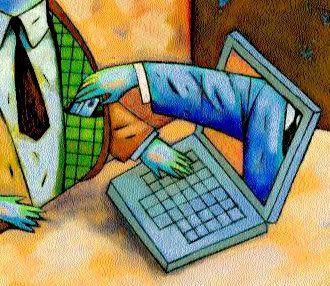
Hackers and Browser Hijacking is one area of the Net that affects everyone at some stage.
In addition to having third party utilities such as SpyBot, Anti Virus scanners and firewalls installed there are some changes that can be made to Windows 2000/XP. Below are some details to make your system safer from hackers and hijackers.
Some of these tips require editing of the Registry so it is wise to either backup the registry and/or create a Restore Point.
1. Clearing the Page File at Shutdown
Windows 2000/XP paging file (Sometimes called the Swap File) can contain sensitive information such as plaintext passwords. Someone capable of accessing your system could scan that file and find its information. You can force windows to clear out this file.
In the registry navigate to HKEY_LOCAL_MACHINESYSTEMCurrentControlSetControlSe ssion ManagerMemory Management and add or edit the DWORD ClearPageFileAtShutdown. Set it to 1.
Note that when you do this, the system will take much longer to shut down: a system with a really big Page File (! Gig or more) may take a minute or two longer.
2. Disable the POSIX and OS/2 Subsystem.Windows 2000 and XP come with little-documented subsystems it at allow compatibility with UNIX and OS/2 systems These rues systems are enabled by default but so rarely used that they are best off bring disabled completely to prevent possible service hijackings.
To disable these subsystems, open the registry and navigate to HKEY LOCAL MACHINESYSTEMCurrentControlSetControlSession ManagerSubSystems. Delete the subkeys Os2 and Posix. then reboot.
3. Never leave default passwords blank.
On installation, Windows 2000 sets up an Administrator account with total system access and prompts for a password. Guess what: by default, it allows that password to be blank. If a user doesn't want to type a password, he can simply click Next and the system will be an open door for anyone who wants to log on. Always opt for a password of some kind when setting up the default account on a machine.
4. Disable the Guest accountWindows XP comes with a Guest account that's used for limited access, but it's still possible to do some damage with it. Disable it completely if you are not using it. Under Control Panel, select User Accounts, click on Guest Account and then select Turn Off the GuestAccount.
5. Install Windows In a different directory.
Windows usually installs itself in the WINDOWS directory. Windows NT 4 0 and 2000 Will opt for WINNT. Many worms and other rogue programs assume this to be the case and attempt to exploit those folders files. To defeat this install Windows to another directory when you're setting it up - you can specify the name of the directory during setup. WINDIR is okay; so some people use WNDWS - A few (not that many) programs may not install properly if you install Windows to another folder but they are very few and they are far between
6. Fake out hackers with a dummy Administrator account
Since the default account in Windows 2000 is always named Administrator, an enterprising hacker can try to break into your system by attempting to guess the password on that account. It you never bothered to put a password on that account, say your prayers.
Rather than be a sucker to a hacker, put a password on the Administrator account it you haven't done so already. Then change the name of the Administrator account. You'll still be able to use the account under its new name, since Windows identifies user accounts by a back-end ID number rather than the name. Finally, create a new account named Administrator and disable it. This should frustrate any would -be break-ins.
You can add new accounts and change the names of existing accounts in Windows 2000 through the Local Users and Groups snap in. Right-click on My Computer, select Manager, open the Local Users and Groups subtree, look in the Users folder and right-click on any name to rename it. To add a new user, right-click on the containing folder and select New User. Finally, to disable an account, double-click it, check the Account is disabled box and click OK.
Don't ever delete the original Administrator account. Some programs refuse to install without it and you might have to log in under that account at some point to setup such software. The original Administrator account is configured with a security ID that must continue to be present in the system.